
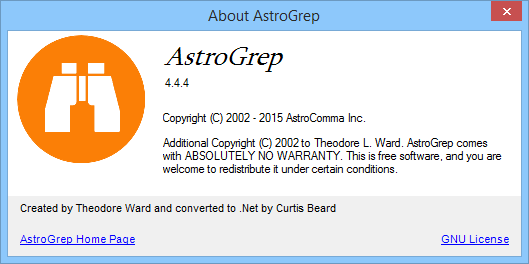
AstroGrep is a powerful and lightweight search utility designed for Windows users who need to find specific text patterns within files quickly and efficiently. Built as a graphical front-end for the GNU grep command, AstroGrep brings the power of command-line searching into a more user-friendly and intuitive interface. It is widely used by developers, system administrators, and technical professionals who regularly work with large directories of code, logs, or text documents and require precision searching without unnecessary complexity.
The core purpose of AstroGrep is to help users search through files with speed, flexibility, and control. It supports regular expressions, saving search results, and filtering by file types, making it an indispensable tool for anyone who manages text-based data. Whether you are debugging code, analyzing logs, or managing documentation, AstroGrep simplifies text searching while maintaining high performance and accuracy.
Overview of AstroGrep
AstroGrep is a Windows-based search tool inspired by the Unix/Linux grep command, yet tailored for graphical interaction. It allows users to perform deep searches through multiple files simultaneously, locating specific phrases, code snippets, or data entries with remarkable precision. The program can display the matching lines along with their context, helping users understand exactly where the matches occur.
The main goal of AstroGrep is to eliminate the limitations of Windows’ default search capabilities. Unlike the standard file search, which is slow and limited in options, AstroGrep provides enhanced features such as regular expression support, file inclusion/exclusion filters, and instant navigation to results. These functionalities make it a go-to choice for professionals who need both performance and customization.
Key Features of AstroGrep
AstroGrep’s value lies in its collection of practical features that enhance productivity and accuracy. Below are some of its most notable capabilities:
Regular Expression Support
AstroGrep supports regular expressions (regex), allowing users to perform complex search queries. Regular expressions help define patterns of text, enabling searches that go beyond exact word matches. For example, you can find all instances of variable names, email addresses, or URLs following specific patterns.
File Type Filters
Users can limit searches to specific file types, such as .txt, .html, .css, .php, or .log. This is particularly useful for developers who only want to search within code files or documentation. The ability to exclude irrelevant file types significantly speeds up the search process.
Search Result Highlighting
AstroGrep highlights matched keywords within the search results, making it easy to identify relevant portions of text. This visual clarity helps users navigate through large sets of results quickly.
Contextual Line Display
When a match is found, AstroGrep can display surrounding lines for better context. This helps users understand the meaning of the search result without opening the entire file.
Saving and Exporting Results
Search results can be saved and exported for later use. This feature is valuable for maintaining records, sharing findings with team members, or revisiting previous searches.
Search History
AstroGrep maintains a history of previous searches, allowing users to repeat or refine earlier queries. This is a time-saving feature for professionals who frequently analyze similar datasets.
Integrated File Viewer
The built-in file viewer allows users to open and inspect matched files directly from the AstroGrep interface. This integration eliminates the need to switch between multiple applications.
User-Friendly Interface
AstroGrep’s interface is designed for simplicity and speed. With intuitive controls and clear layout, even users with minimal technical expertise can perform advanced searches without confusion.
How AstroGrep Works
AstroGrep operates by scanning directories and files using powerful pattern-matching algorithms. Users specify a search term or pattern, and AstroGrep traverses through selected directories to identify matches based on defined parameters. The results are displayed in a structured format, with file names, line numbers, and highlighted matches.
Internally, AstroGrep leverages the grep engine to perform fast, line-by-line scanning. When combined with regular expressions, it can identify variations of words, partial matches, or complex structures within files. The tool’s efficiency comes from optimized algorithms that avoid unnecessary file reads and provide real-time feedback.
Additionally, AstroGrep allows customization of encoding and case sensitivity, ensuring that results remain accurate regardless of file type or data format. Whether searching plain text, source code, or large logs, AstroGrep handles massive data volumes with minimal performance lag.
Advantages of Using AstroGrep
AstroGrep provides numerous benefits that distinguish it from ordinary search tools.
Enhanced Productivity
By delivering rapid search results and detailed context, AstroGrep minimizes the time spent locating information. This is especially beneficial for programmers and analysts handling thousands of files.
Greater Control
AstroGrep offers flexible search parameters, allowing users to define exactly what they want to find. You can control file types, directories, text patterns, and display options, giving you complete command over your search experience.
Accuracy and Precision
Thanks to regular expressions and context display, AstroGrep ensures that results are precise. You can easily filter out irrelevant matches, making searches more meaningful and focused.
Portability
AstroGrep is lightweight and does not require complex installation. Users can run it from a portable drive, making it ideal for professionals who work on multiple systems.
Free and Open Source
AstroGrep is completely free to use. As an open-source project, it continues to evolve with contributions from the community, ensuring it remains updated and efficient.
Practical Applications of AstroGrep
AstroGrep serves a wide range of practical purposes across industries and professions.
Software Development
Developers frequently use AstroGrep to locate specific function definitions, variable names, or error messages across large codebases. Instead of manually opening each file, they can instantly find occurrences of keywords or expressions.
System Administration
System administrators can use AstroGrep to analyze log files, search for error codes, or track system activities. The ability to search through thousands of lines in seconds is invaluable for troubleshooting.
Data Analysis
Data analysts and researchers can use AstroGrep to extract relevant text from datasets or structured files. It simplifies data extraction and pattern identification across multiple sources.
Documentation and Content Management
Writers and editors can search through documentation repositories for phrases, terminology, or reference sections, ensuring consistency across large collections of text.
Cybersecurity and Compliance
Security professionals can use AstroGrep to search through configuration files and scripts for sensitive information, passwords, or compliance-related patterns, reducing the risk of data leaks.
AstroGrep Interface Overview
AstroGrep’s interface is designed to balance functionality and clarity.
- Search Bar: The top section contains the field where users enter search terms or regular expressions.
- Directory Selection: Users can choose which folders or drives to include in the search.
- File Filters: This allows specifying which file types should be included or excluded.
- Results Pane: Displays the list of files containing matches, including file paths, line numbers, and previewed text.
- Preview Window: Shows a detailed view of the selected match with highlighted keywords.
This structured interface allows even beginners to perform advanced text searches without the need for command-line expertise.
How to Use AstroGrep Effectively
To get the best out of AstroGrep, it’s essential to understand its workflow.
- Specify Search Parameters: Enter the keyword or regular expression in the search box.
- Select Search Directory: Choose the root directory or folder you want to search within.
- Filter File Types: Define file extensions or use wildcards to include specific formats.
- Run the Search: Click the search button and allow AstroGrep to scan the files.
- Review Results: The tool will display matching files and lines.
- Open and Analyze: Click on any result to open the preview and examine the full context.
- Save Results: Optionally export results for documentation or reporting.
With these steps, users can perform powerful searches without needing command-line expertise or third-party tools.
Comparison with Other Search Tools
AstroGrep often competes with similar tools such as Notepad++ search, FileLocator Lite, and PowerGREP. However, its simplicity, performance, and open-source nature set it apart.
- Versus Notepad++: While Notepad++ has a built-in search, it is slower and limited to opened files. AstroGrep searches through entire directories and multiple file types efficiently.
- Versus FileLocator Lite: AstroGrep offers a cleaner interface with fewer distractions and is entirely open source.
- Versus PowerGREP: PowerGREP is more advanced but paid. AstroGrep provides enough functionality for most professional tasks at no cost.
Overall, AstroGrep balances simplicity and capability perfectly, making it a preferred choice for users seeking a reliable and free solution.
Limitations of AstroGrep
While AstroGrep is robust, it does have some limitations worth noting:
- It is Windows-only, meaning users on Linux or macOS must rely on native grep or alternatives.
- It does not offer real-time monitoring of file changes.
- Very large binary files may not always be efficiently processed.
Despite these limitations, its benefits far outweigh the drawbacks for the majority of professional users.
Future of AstroGrep
AstroGrep continues to evolve through community-driven updates. The developers focus on improving speed, compatibility, and user experience. Future enhancements may include better encoding support, advanced regex visualization, and integration with modern development tools. Its open-source nature ensures long-term sustainability and innovation from contributors worldwide.
Best Practices for Using AstroGrep
To ensure optimal use of AstroGrep:
- Use Specific Keywords: Narrow your search scope to reduce irrelevant results.
- Leverage Regular Expressions: Learn basic regex syntax to unlock advanced capabilities.
- Save Search Profiles: Save frequently used searches for repeated tasks.
- Combine Filters: Use inclusion and exclusion filters for maximum precision.
- Regularly Update: Keep AstroGrep updated to benefit from performance improvements.
These practices help users maximize efficiency and accuracy while minimizing manual work.
AstroGrep for Developers
Developers appreciate AstroGrep for its speed and simplicity. When working on large projects, it can quickly identify where functions or variables are used, find dependencies, or detect deprecated code segments. It can even serve as a debugging aid by locating log references or error statements in complex projects.
The ability to integrate with editors and open files directly from search results makes AstroGrep an ideal companion in software development workflows.
AstroGrep for Business and Data Environments
In business environments, AstroGrep supports compliance audits, documentation management, and data validation. It allows analysts to verify information consistency, check report templates, and locate records based on keywords or formats. Its lightweight nature ensures it can run efficiently even on modest hardware setups.
Organizations dealing with vast textual data repositories can rely on AstroGrep for quick audits without resorting to resource-heavy enterprise software.
Conclusion
AstroGrep is an indispensable text-searching tool that combines the power of the classic grep utility with a modern, user-friendly Windows interface. It provides unmatched speed, flexibility, and precision, making it a preferred choice among developers, analysts, and IT professionals. Its support for regular expressions, file filters, and contextual displays ensures users can locate information efficiently, regardless of file size or complexity.
AstroGrep continues to stand out as a reliable, free, and open-source solution that transforms how users search through text. Whether for programming, data analysis, or system maintenance, AstroGrep remains a trusted ally in managing and understanding vast amounts of information with ease and accuracy.